
Insights / Construction technology
Construction Management Software in Nigeria: What Contractors Should Look For
A practical buyer’s guide to choosing business management software that fits the way Nigerian contractors run projects, control costs and approve expenditure.
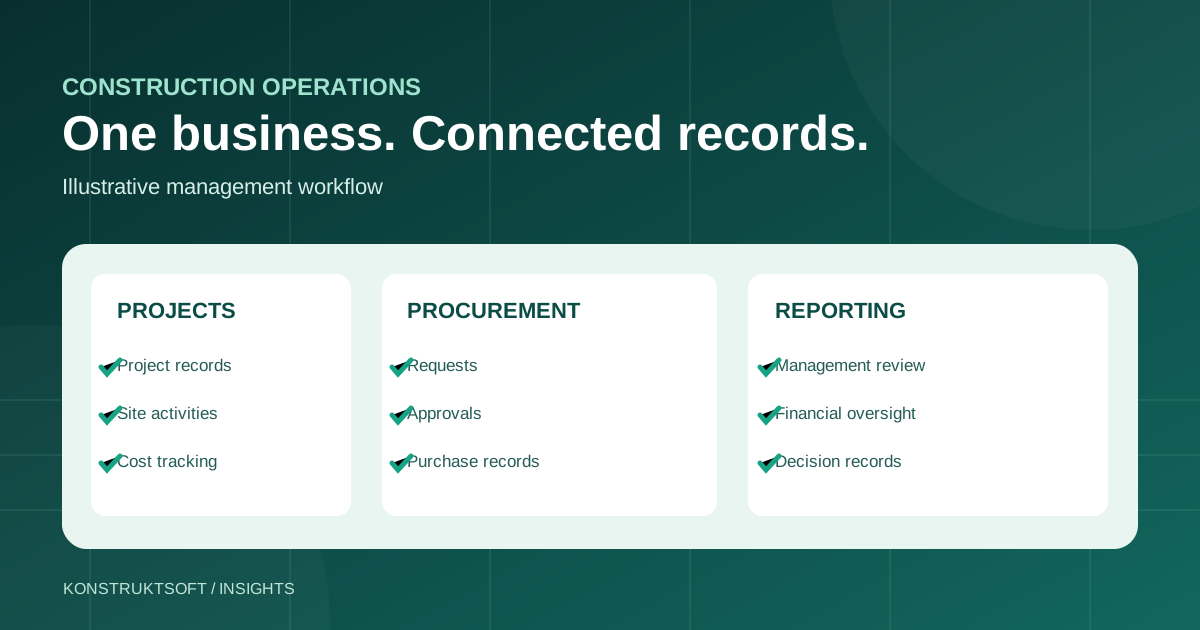
For a contractor delivering two or three projects at once, the challenge is rarely just preparing a work programme. It is knowing whether procurement requests have been approved, which costs belong to which project, whether site activity matches the financial record, and what management needs to act on today.
This is why construction management software should be evaluated as an operating system for your business processes—not simply as a digital folder for documents or a collection of forms. A sensible choice should support the decisions you need to make and the records you need to trust.
What should construction management software do?
The phrase covers several kinds of tools. A scheduling application can organise tasks and dates. An accounting platform records financial transactions. A document management system stores drawings and correspondence. A broader construction business management or ERP platform tries to connect the operating records that different departments need.
There is no universally correct choice. A small business may initially need structured project records, budget monitoring and defined approvals. A multi-project contractor may need more sophisticated permissions, reporting, procurement controls and departmental coordination. Software only becomes useful when its scope reflects those needs.
Seven questions to ask before subscribing
1. Can we see each project’s financial position?
Ask whether budgets, purchase commitments and actual expenditure are distinguishable and attributable to the correct project. Look for a way to review budget-to-actual differences, investigate changes and see the supporting transactions—not merely a total on a dashboard.
2. How are procurement requests approved?
A practical system should make it clear who raised a request, the reason for it, who reviewed it and whether approval was granted before a purchase or payment. Authority limits may differ by department, project or transaction value; check what the selected package supports.
3. Can the people at site and head office work from consistent records?
Project managers, site supervisors, finance teams and procurement officers often see different parts of the same transaction. Identify where records need to connect and where each user should be allowed to act. A system does not remove the need for timely data entry and checks.
4. Will reporting answer management’s actual questions?
Start with decisions, not charts. Which projects need attention? What has been requested but not approved? What is due to suppliers? Are departmental tasks progressing? Ask to see the exact reports available in the proposed subscription rather than assuming every report is included.
5. Are roles and permissions practical?
A Managing Director, project manager, accountant and site supervisor should not have unrestricted access to identical functions. Establish who can submit, verify, approve and view each category of record. Review segregation of duties and traceability of changes.
6. What will onboarding require?
Even capable software will disappoint if organisations, projects, chart of accounts, users, authorities and initial records are poorly configured. Ask who will prepare data, how roles will be trained, what can be imported and how the first reporting period will be reconciled.
7. Can the solution grow with the business?
Compare the initial subscription cost with the complexity your company expects over the next one to two years. Review package limits, additional functions, implementation requirements, contract conditions and upgrade routes.
A simple comparison framework
| Evaluation area | Evidence to request |
|---|---|
| Project cost control | Example budget, expenditure and exception report |
| Procurement | Request-to-approval-to-order walkthrough |
| Accounting | Available transaction, account and reporting capabilities |
| Operations | Site/project workflow and user-role examples |
| Governance | Authority and access-control configuration |
| Commercial terms | Package limits, pricing, support and onboarding scope |
Give each area a score for importance to your company before discussing products. A long list of features means little if the product lacks the one control your operation depends on.
Introduce the software around a real workflow
A sensible pilot begins with one defined process, for example a site materials request. Map its existing steps, assign responsibilities, configure the software, test the complete record trail and reconcile the result with supporting documents. Only then broaden adoption. This helps distinguish software configuration problems from unclear company procedures.
Where KOS MSuite fits
KOS MSuite, developed by KonstruktSoft Digital Systems Ltd, is designed for integrated business administration in the built environment. Its capabilities span organisational roles, projects, procurement, financial records, operational processes and management reporting. Functions and permissions vary across its five approved subscription packages.
The important next step is to evaluate the package against your own business processes. Review the MSuite Packages comparison and request a guided demonstration of the workflows most relevant to your company.
Explore construction business management with KOS MSuite
Compare the published subscription capabilities and decide which workflows your team needs to review.
Related reading
Editorial note: This buyer’s guide is general information. Actual MSuite package entitlements and current commercial terms are defined in the published package comparison and applicable customer agreement.